Online Classes Safety Guide for Indian Parents
Practical online class safety rules for Indian parents — common-room setup, parent-visible chat, red flags, and how to report concerns early.

TutorPapa Team
19 Oct 2026 · 5 min read
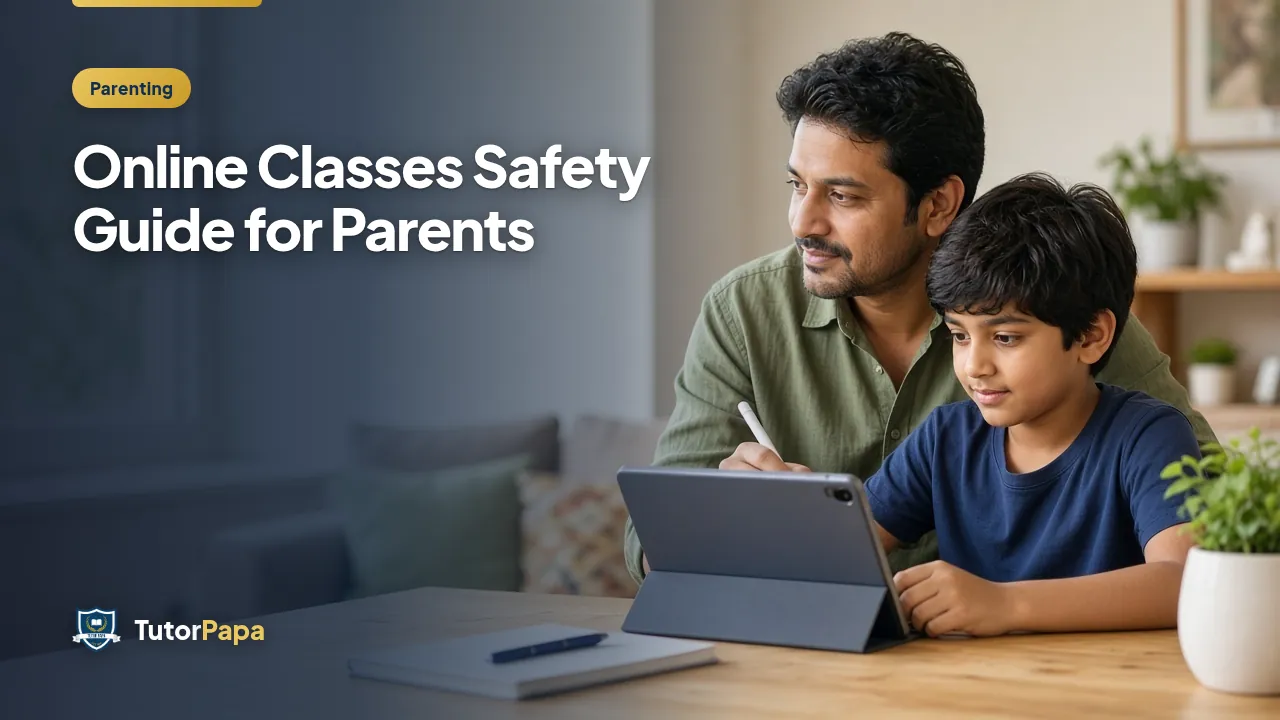
Online classes are convenient, but they still involve a child learning with an adult — sometimes one-to-one on camera. Indian parents are right to ask about safety. This guide gives practical rules for online class safety: device setup, communication boundaries, red flags, and what to do if something feels wrong. It is written for home and platform-based tuition, including TutorPapa families.
Non-negotiable safety basics
Classes happen in a common area of the house, not a closed bedroom with the door locked.
Camera stays on for both student and tutor during 1-on-1 sessions unless you have a documented reason and parent agreement.
Scheduling, fees and rescheduling stay on a parent-visible channel or the platform inbox.
No private student-only chats, social media DMs, or “don’t tell your parents†requests — ever.
No recording, screenshots or photos of the child without clear parent consent.
Before the first online demo
Verify the tutor’s profile details and look for a verification badge where available.
Join the first session yourself for 10 minutes.
Agree the video tool, class link owner, and backup phone number for connectivity issues.
Tell your child what is okay and what should be reported immediately.
Keep the device updated and use a strong account password; avoid shared public Wi-Fi for regular classes.
Device and room setup checklist
Place the camera so a parent can glance from nearby. Use headphones only if you can still supervise. Disable random app notifications during class. For younger children, prefer a tablet/laptop on a table rather than a phone carried to private spaces.
If your building internet drops often, keep a mobile hotspot ready so the tutor is not asked to “call the child directly†on a personal number as a workaround.
Red flags — pause and review
Tutor asks to move the chat off-platform without a clear reason.
Tutor requests secrecy from parents.
Tutor asks for inappropriate personal details or private photos.
Tutor frequently goes off-camera while insisting the child stay visible.
Gifts, late-night 1-on-1 sessions for young children, or pressure to hide fees.
Trust your discomfort. Pause classes and contact support. On TutorPapa, use Report a concern and review safeguarding notes on FAQ and About.
Home tuition safety still matters
If you also use home visits, keep an adult at home for early sessions, prefer common rooms, and confirm identity on arrival. Online and home modes share the same principle: adults stay accountable and parents stay informed.
Teaching your child a simple script
Give children language they can use: “I need to call my parent,†“Please message on the family group,†or “I will continue this tomorrow with my parent present.†Practise once so they are not frozen if something feels odd.
How TutorPapa supports safer matching
Prefer verified tutors, keep communication on-platform where possible, and start with a free demo you can observe. Browse tutors, submit needs via Request a tutor, and read platform policies linked from Privacy and Terms.
Soft CTA: Safety and learning quality can go together. Choose verified tutors, observe the first sessions, and keep channels parent-visible. Start at Request a tutor or Find tutors.
Special notes for different age groups
Primary (Classes 1–5): Parent should remain nearby throughout. Prefer shorter sessions. Tutor should speak with the parent at the start and end.
Middle school: Parent nearby for the first sessions, then intermittent checks. Keep the door open.
Senior school: More independence is normal, but communication about fees and schedule should still include a parent. Boundaries about private messaging still apply.
Data and account hygiene
Do not share OTPs with tutors. Do not give remote-control access to your computer. Use meeting links that expire or require waiting-room admission when possible. After class, ensure the meeting has ended on both sides.
If a concern arises
End the session calmly if needed.
Talk to your child privately and write down what happened.
Preserve chat logs and usernames.
Report to the platform and, if required, local authorities for serious issues.
Do not confront in a way that destroys evidence or escalates danger.
Balancing trust and vigilance
Most tutors are professionals who care about teaching. Safety rules are not accusations; they are standards. Good tutors welcome clear boundaries because boundaries protect them too.
Sample family online-class agreement
Print and adapt this:
Classes happen at the dining table or living room.
Parent knows the tutor name, time and meeting link.
Student will not share personal address details beyond what the platform already has.
Student will tell a parent if asked to switch to a private app.
Parent may join the first five minutes of any session without advance drama.
Agreements work best when explained as care, not suspicion. Many children feel proud when trusted with clear rules.
For platform help, keep Report a concern, Contact and FAQ handy. Choose tutors via Find tutors and prefer verified profiles when starting with a new family.
Final safety checklist before the next online class
Common room ready, device charged, parent-visible link, camera angle checked, child briefed on the “call parent†script, and tutor identity confirmed. After class, a thirty-second parent check-in is enough: “Anything unusual today?†Normalising that question makes reporting easier later. Soft CTA: choose verified tutors on TutorPapa, keep communication transparent, and use Report a concern whenever something feels off — early reports protect many families, not only your own.
Also brief babysitters or grandparents if they supervise afternoon classes: they should know the tutor’s name, the expected end time, and that the child must not move the class into a private room. Write the TutorPapa support path on a fridge note so a caregiver can act without waiting for you to return from work. Safety is a household system, not only a parent’s private worry.
Review privacy settings on meeting apps quarterly. Remove old tutors from chat groups when classes end. Small digital hygiene habits prevent confusion later.
Safety and learning quality reinforce each other when routines stay consistent every week.
Frequently asked questions
For 1-on-1 sessions with minors, yes unless there is a documented agreement otherwise. Parents should be able to observe early sessions.
Avoid private student-only chats for minors. Keep scheduling and fees on parent-visible channels or the platform.
In a common area with an open door, not a locked bedroom.
Requests for secrecy from parents, off-platform private messaging pressure, inappropriate personal questions, or photo requests.
Use the Report a concern page, preserve chat evidence, and pause classes while the issue is reviewed.
Looking for a tutor?
Tell us what you need — get matched with verified tutors in 2 hours.