Online Coding Classes for Kids: How to Choose a Tutor
Skip the hype. What children can realistically learn at each age, how a good online coding lesson looks, and the questions to ask before you choose a tutor.

TutorPapa Admin
02 Nov 2026 · 6 min read
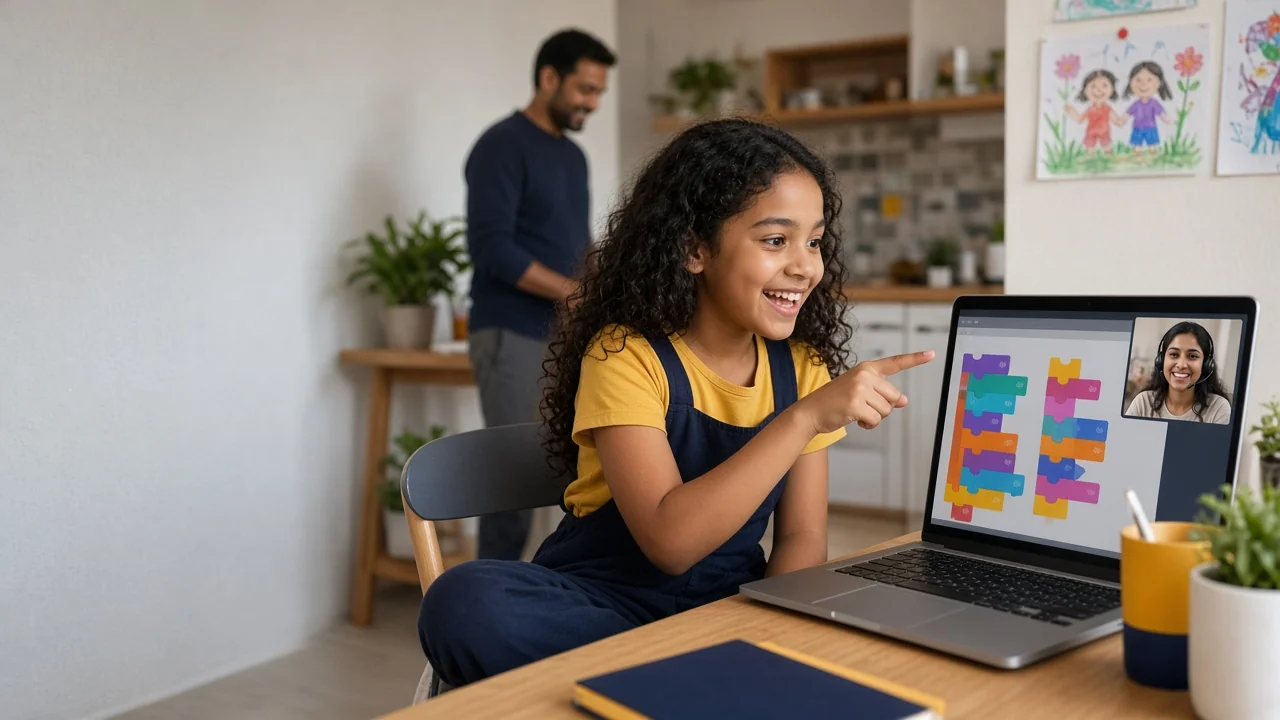
Coding for children has become a crowded market, full of bold promises about building apps at seven or becoming “future-ready” in a few weeks. Most parents just want something simpler: a class where their child enjoys solving problems, makes real things, and slowly learns to think like a programmer. This guide explains what children can realistically learn at different ages, what good online coding classes look like, and how to choose a coding tutor for a child, whether you live in India, the Gulf, Europe, North America or Australia.
What children can realistically learn, by age
Every child is different, but these broad stages are a useful starting point.
Ages 5–7: playful logic
Young children are learning sequences, patterns and cause and effect. Block-based apps, unplugged activities and simple puzzles work best. One-to-one online lessons at this age should be short (30 minutes or less) and very hands-on, ideally with a parent nearby.
Ages 8–11: block-based programming
This is the sweet spot for Scratch, the free block-based language from the MIT Media Lab. Children drag and snap blocks together to make games, animations and stories, and they meet real programming ideas along the way: loops, conditions, variables and events. A good tutor uses Scratch to teach those ideas deliberately, not just to copy a game step by step.
Ages 11–14: the move to text
Once a child is confident with blocks, Python is a common next step because its syntax is relatively readable. Some children are ready at 10; others are better staying with Scratch until 12 or 13. Typing speed, comfort with English and patience with error messages matter as much as age. Simple web projects with HTML and CSS are another friendly entry point.
Ages 14+: real projects and foundations
Teenagers can work on more substantial projects: small games, data projects, websites or automation scripts. This is also when school computer science courses (such as GCSE, IGCSE, AP or CBSE Computer Science) start to matter, and a tutor can link project work to exam content.
One-to-one tutor, group class or recorded course?
Each format suits a different child.
One-to-one tutor: best for children who need attention, move at an unusual pace, or have a specific goal such as a school project or exam. The tutor can see the screen, spot misunderstandings immediately and adjust the plan.
Small live group: good for sociable children who like seeing what others build. Less individual feedback, but often more energy.
Recorded course: suits older, self-motivated learners who can pause, rewind and practise alone. Younger children rarely stay engaged with videos without support.
Many families combine them. For example, a teenager might take a recorded course such as Python for Beginners (Hindi + English) for the basics, then add a few tutor sessions to work on their own project. Note that this course mixes Hindi and English, which suits bilingual families; others may prefer an English-only tutor. Short live sessions like Python Live: Build Your First App in 90 Minutes can be a low-commitment way to see whether a teenager enjoys coding before committing to regular lessons.
What a good online coding lesson looks like
Use the free demo to watch for these signs:
The child is typing or dragging blocks most of the time. If the tutor shares their screen and codes for 40 minutes, your child is watching, not learning.
Mistakes are treated as normal. Debugging is a core programming skill. A good tutor lets the child find the bug with hints rather than fixing it instantly.
The lesson ends with something that works. Even a tiny program, such as a character that moves or a quiz that keeps score, gives the child a sense of progress.
Ideas are named. The tutor says “this is a loop” or “this is a condition”, so concepts build up across lessons.
There is a small challenge for the week. For example: “Make the game end when the score reaches 10.”
Questions to ask a coding tutor
Which languages and tools do you use with children of my child’s age, and why?
Can you show me a project a student of this age built with you? (Screenshots or a shared link, with the student’s identity removed, are fine.)
How do you handle a child who gets frustrated when code doesn’t work?
What will my child be able to do after eight lessons?
How do you share code and homework after each session?
Specific answers are a good sign. Vague answers like “we cover everything” or “your child will build apps” are not.
Red flags in kids’ coding classes
Unrealistic outcomes: promises that a young child will build professional apps, get a job or earn money from coding.
Pressure selling: countdown timers, “last seat” calls or long upfront packages before a trial.
Copy-and-paste projects: the child follows instructions to recreate the same game as everyone else without understanding it.
No parent visibility: lessons arranged through private chats with no schedule, notes or payment record.
How often, and for how long?
Consistency beats intensity. For most children, one or two lessons a week works well, with a small amount of practice in between. As a rough guide:
Ages 5–7: 25–30 minute lessons, once or twice a week.
Ages 8–11: 45 minutes, once or twice a week, plus time to play with their own Scratch projects.
Ages 12+: 60 minutes a week, with a project to work on independently between sessions.
If your child starts dreading the lesson, shorten it or change the project before deciding coding isn’t for them. Often the problem is the pace or the topic, not the subject.
Setting up at home
You don’t need expensive equipment. A laptop or desktop is much better than a tablet for anything beyond block coding, because typing and switching windows matter. Add:
A stable internet connection and a headset with a microphone.
Free tools the tutor recommends, installed and tested before the first lesson.
A shared space (in a common room for younger children) where you can glance in occasionally.
For extra practice between lessons, Code.org offers free self-paced activities for a wide range of ages.
Choosing a tutor based in India: the honest view
India has a large community of software developers and computer science graduates, and many of them teach part-time or full-time. That gives families worldwide access to tutors who use programming every day. Lessons are commonly taught in English, and online tools like screen sharing and shared code editors work the same wherever the tutor is.
What still needs checking is teaching skill with children specifically. An excellent developer is not automatically a patient teacher for a nine-year-old. Use the demo to judge that, and think about time zones: families in the Gulf, Asia and Australia usually find after-school slots easily, while families in the UK and North America may prefer weekend lessons.
How to find a coding tutor on TutorPapa
Browse Python tutors and read each profile’s experience, subjects and teaching mode. For courses and live sessions, see the coding courses. If you need a tutor for a younger child or a specific tool like Scratch, post a tutor request with your child’s age, current level, your time zone and what you hope they’ll be able to do in three months.
Measuring progress without pressure
For children, progress isn’t a certificate. It looks like this: they start projects on their own, they explain how their code works, they fix small bugs without help, and they ask to show you what they made. Check in after six to eight lessons. If your child is curious and proud of their work, the class is doing its job.
Frequently asked questions
Playful logic activities suit ages 5–7, block-based Scratch suits ages 8–11, and many children move to Python around 11–14 once they are confident.
For most children under 11, Scratch first. Move to Python when your child is comfortable with loops and conditions and can type reasonably well.
One-to-one suits children who need attention or have a specific goal. Small live groups suit sociable children; recorded courses suit self-motivated teens.
No. A laptop or desktop, a stable connection and a headset are enough. A tablet is fine for block coding but limiting beyond that.
Looking for a tutor?
Tell us what you need — get matched with verified tutors in 2 hours.